

Case study · Nuppo and Šeptem
How we took two macOS apps from the first line of code to release, and what went wrong on the way.
40 days
from first commit to first release, counted in calendar days: 40 for Nuppo, 39 for Šeptem. The release dates are on GitHub.
day with commits release
Each square is one day from 22 Sep to 2 Nov. Lit squares are days with at least one commit: 11 for Nuppo, 8 for Šeptem. In between are whole weeks without one.
- 2apps, free to download from public GitHub releases
- $0to download both. We don't pay for the Apple Developer Program.
You can check both on the GitHub release pages and the apps' websites.
The premise
Both apps are ours. So are the decisions, bad ones included.
Nuppo and Šeptem are two macOS apps the studio built for itself. No client, no brief, no deadline but our own. Both are free to download: Nuppo since 1 November, Šeptem since 2 November.
On client work, decisions can rest on the brief. Not here. We chose the scope, the free release, the transcription model and the look of the icon, and nobody else will answer for any of it. So this study also shows how we decide when a client leaves the decision to us.
We use modern technology to work and iterate faster. But expert human oversight stays on every decision, and every output is checked on a real machine. The sections below show where that came into play.
There's no client to hide behind.

The starting point
Losing track of screenshots, and dictating Czech with the commas in.
Nuppo started with one problem: the studio's owner kept losing track of screenshots, new and old. The first version was a shelf in the Mac's notch that collected them, so you could drag each one wherever it was needed.
After that, it grew as needs came up. Downloaded files and notes on the first day; later the song that's playing, a timer, a list of local servers and the status of AI agents running in the terminal. A shelf for screenshots turned into a practical helper: more within reach, less hunting around.
Šeptem solves a different problem: dictating in Czech, with commas, names and English in mid-sentence. General-purpose dictation tools don't give Czech much attention, and our analysis on 24 September saw room to do better. Both are tools we wanted for ourselves.
We started with what annoyed us.
so um uh send me that by Friday
InsertedSend me that by Friday.
Inserted: Send me that by Friday.
Before and after
The first commit had 1,045 lines and a different name.
On day one, Nuppo was called NotchShelf: 11 files, 1,045 lines, a panel in the notch, screenshots and notes. Šeptem started two days later and was usable straight away. Its first commit had 29 files, 2,726 lines and dictation on the fn key.
Today they're two released apps with websites and automatic updates. The first commits had almost none of that: no name, no icon, no way to reach users. What survived is the core idea.
From first commit to product.
- 22 SepNotchShelf+1,045 lines11 files · notch panel, screenshots, notes
- 24 SepŠeptem+2,726 lines29 files · dictation on the fn key
- name and icon
- website
- release on GitHub
- automatic updates
Phase 01Scope
The plan was bigger than the result. What's left is what held up.
The analysis for Šeptem, written on 24 September, planned five phases: more cloud transcription services, live transcription as you speak, an offline model, and custom commands including translation. The code ended up with one transcription service plus a fallback model, and history stored in files rather than a database.
Nuppo was meant to be paid: a licence, a trial period, a waiting list, notarisation. All of it was built. Then, on 1 November, we decided to make it free. It's a side project and a working tool, and we didn't want to pay Apple's annual fee or deal with selling it.
Šeptem, for its part, has no offline model, and the transcript arrives only after you let go of the key. Without internet, the recording is saved and waits. We'd rather say so than promise more than we can deliver.
We know how to cut.
Šeptem@@ plan, 24 Sep → reality @@
- Cut: More cloud transcription services (ElevenLabs, Soniox)
- Cut: Offline Parakeet model
- Cut: Live transcription as you speak
- Cut: History in a SQLite database
- Cut: Custom commands and translation
- Kept: Groq Whisper transcription with a fallback model
- Kept: History stored in files
5 deletions(−), 2 insertions(+)
Nuppo@@ paid → free, 1 Nov @@
- Cut: App Store sales (the sandbox would have blocked reading Desktop and Downloads)
- Cut: Developer ID, notarisation and a DMG
- Cut: Licence and a 14-day trial
- Cut: Waiting list
- Kept: Free release, signed with our own certificate
4 deletions(−), 1 insertion(+)
Phase 02Choosing the tools
Native Swift without Xcode, because fn and the notch won't work any other way.
Both apps are written in Swift and built from the terminal, without Xcode. Not out of ideology: the fn key, Accessibility and text insertion only work reliably in native code. The cost: we had to draw Nuppo's Liquid Glass look ourselves, because the native interface wouldn't compile with our SDK version.
Vendors measure their models on Wikipedia text read aloud. We dictate casually, with anglicisms, names and numbers. So we dictated 35 sentences in our own voice and had them transcribed.
Two Whisper models on Groq made it to the final comparison. The larger got 11.7% of words wrong and responded in 0.85 s; the faster got 12.2% wrong in 0.55 s. Each user enters their own key, so Šeptem runs no server of ours and none of your voice reaches us.
A measurement decided it, not an advert.
| Model | Word error rate | Median latency |
|---|---|---|
| Whisper large-v3 (primary) | 11.7% | 0.85 s |
| Whisper large-v3 turbo (fallback) | 12.2% | 0.55 s |
Phase 03Brand
The name, the icon and the typeface each took several rounds.
Nuppo was renamed before release. NotchShelf, Nupo and Pluck all clashed with existing products. The rename cost a data migration and one rule: the identifier macOS knows the app by kept its old value, so nobody would lose their settings.
Nuppo's icon, a little figure hanging from the notch with a screenshot in hand, went through three versions in a single day. Šeptem had three logo drafts and settled on the háček as a wave. The typeface took two rounds, first four candidates, then six serifs, and Gloock won.
You can't design a look blind. Nuppo's first Liquid Glass came out washed out and flat, and it took four rounds of screenshots to get it right.
You don't argue a brand. You choose it.
- Nuppo name
NotchShelfNupoPluckNuppothree names clashed with existing products - Nuppo iconthe figure hanging from the notchthree versions in one day, 23 Sep
- Šeptem logothe háček as a wavethree drafts
- Šeptem typefaceGloocktwo rounds: four candidates, then six serifs
#ff9f5a Nuppo peach · accent colour adjustable in the appPhase 04Build
The recording is on disk before it goes anywhere. That's all there is to reliability.
Šeptem is a chain of five steps: you hold fn, the app records, the audio is written to disk and sent off for transcription, and the finished text is inserted wherever your cursor is. The order is what matters. The recording is on disk before anything leaves the Mac.
That order takes care of whatever goes wrong. If the network drops, the recording waits and gets transcribed later on its own. If the insert misses the text field, the text stays on the clipboard and a card offers Copy. If it lands in the wrong place, fn+V inserts it again.
The model is wrapped in filters. Fed silence, Whisper invents sentences like “Subtitles by JohnyX”, and the app throws them away. Then the text gets its commas and Czech typography. Modern tools help us write code faster, but a person decided how much the app is allowed to lose: nothing.
No dictation gets lost.
- Hold fnthe app starts recording — done
- Saved to diskbefore anything leaves the Mac — done
- TranscriptionGroq Whisper, your own key — done
- Filter and tidyinvented sentences out, commas in — done
- Insertwherever your cursor is — done
Phase 05The test
Real use showed what the code didn't.
We started using Šeptem on day one. AirPods switch to call mode and the sound quality drops, so the app records from the built-in microphone. Later we had to stop the system from picking AirPods or an iPhone as the default input. On two-minute dictations Whisper also garbles stretches and drops diacritics, so the damaged parts are transcribed again.
Meeting notes were the worst. After a device was set up, the audio engine restarted about five times a second and the microphone barely recorded. And on a call in Safari, macOS suppresses echo, so the recording was missing the voice. We fixed the causes and added a warning for a muted microphone.
In Nuppo, the ⋯ button ignored clicks and more SwiftUI tinkering didn't help, so we dropped a layer down into AppKit. Full-screen detection only works for Chrome with a third signal. We don't know why, and we've noted that.
Every bug has a commit in the history.
NuppoThe ⋯ button ignores clicks
- cause
- The SwiftUI button wasn't receiving events, and more debugging didn't help
- fix
- AppKit handles the clicks, one layer down
ŠeptemRecordings with AirPods sound bad
- cause
- Bluetooth headphones switch to call mode
- fix
- The built-in microphone is the default
ŠeptemDictated text vanished
- cause
- The insert missed the text field and the clipboard was restored
- fix
- Text that fails to insert stays on the clipboard, with a Copy card
ŠeptemThe system picked AirPods or an iPhone
- cause
- The system's default input changed
- fix
- The app keeps an eye on the default input
ŠeptemLong dictations come back garbled in places
- cause
- Whisper garbles stretches of two-minute recordings
- fix
- Garbled stretches are transcribed again, separately
ŠeptemMeeting notes with no voice
- cause
- The audio engine restarted in a loop, about five times a second
- fix
- Device setup without the loop, plus a check for audio dropouts
ŠeptemThe voice is missing on calls
- cause
- During a call, macOS suppresses echo and sends a flat signal
- fix
- Voice processing, and a warning when the microphone is muted
NuppoChrome in full screen
- status
- Detection needs a third signal. We don't know why, and we've noted that.
Release
No Apple account: our own certificate, and updates via Sparkle.
Apple charges $99 a year for the Apple Developer Program. Both apps are free and Nuppo is a side project, so we decided not to pay. The cost shows up straight away: on first launch, macOS says it couldn't check the app, and only opens it if you explicitly ask.
We do sign the apps, though, with our own certificate valid for ten years, not a one-off signature for a single build. Not for Gatekeeper's sake, since it doesn't accept that certificate, but for permissions: a signature that changed with every build would wipe access to Desktop, Downloads or Accessibility after every update.
Updates go through Sparkle, and we sign them with our own key. The chain is the same every time: code signature, ZIP with a SHA-256 checksum, update signature, version list and a GitHub release. The source code stays private. Only what you can download is public.
Free doesn't mean sloppy.
- Signed with a certificateour own, valid for ten years
- ZIP and SHA-256 checksum
- Update signatureour own Sparkle key
- Version listappcast
- Release on GitHub
- Sparkle on the user's Mac

Web
Two websites with no tracking, and a one-command install.
Both sites are static, built with Astro and hosted on Vercel. No analytics and no Google Fonts; the fonts ship with the site. Nuppo's site went up two days after the first commit, Šeptem's only in the last two days before release.
Alongside the ZIP, each app offers a one-command install. The script verifies the SHA-256 checksum, installs the app and removes the quarantine flag, so Gatekeeper doesn't step in. Installing from a script off the internet isn't for everyone, so there's also a guide to doing it by hand on macOS 14 and 15.
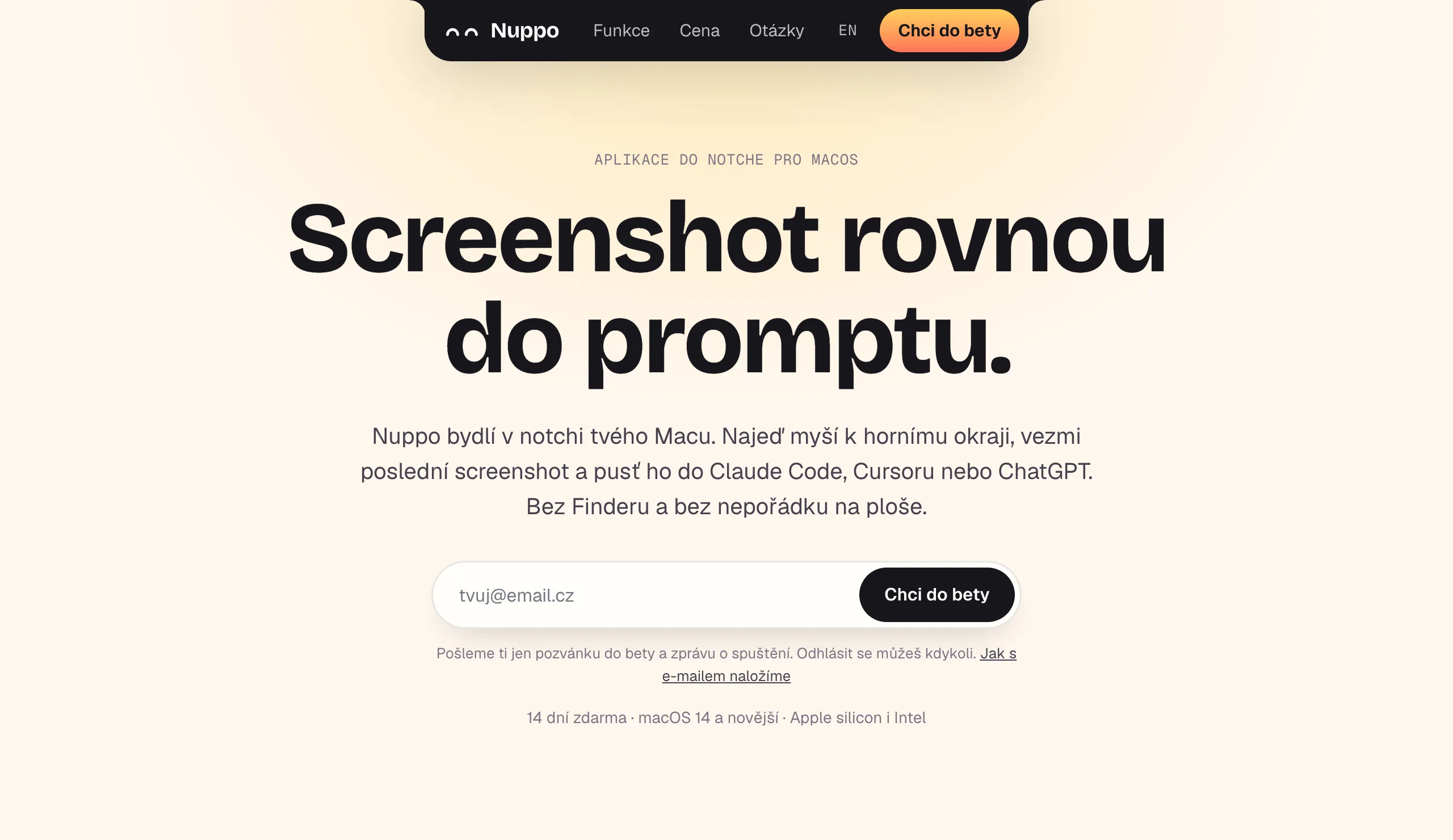
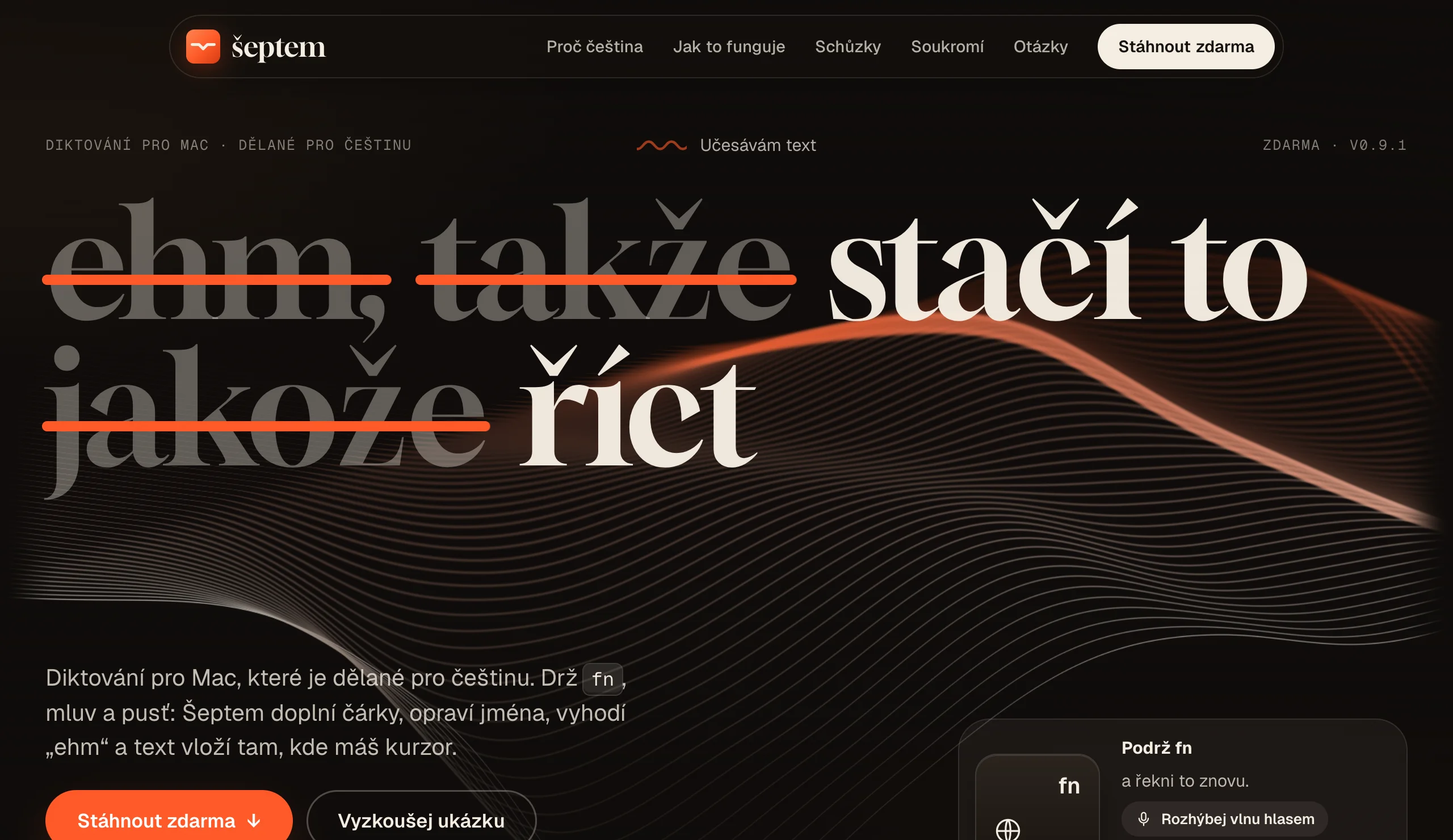
The sites show rather than tell. On Nuppo's you can try the demo without downloading anything, and the loops were recorded from the real app in demo mode. Šeptem's has a live text-editing demo.
curl -fsSL https://nuppo.inflexion.cz/install.sh | sh
curl -fsSL https://septem.inflexion.cz/install.sh | shWhat we don't claim
What the apps can't do, and what you can check for yourself.
Some things the apps can't do, and we say so up front. Nuppo reads English, numbers and code from images, but not Czech, because text recognition in macOS 14 doesn't support it. Šeptem needs internet access and your own key; without them it can't transcribe. Both trigger a macOS warning on first launch.
The code is private, so you can't read it. That's why this study rests on what you can check: public releases, live websites and how the apps behave. One thing we saw with our own eyes: on 2 November, a copy of Šeptem 0.9.0 downloaded from GitHub found 0.9.1 on its own and installed it.
We'd rather say it ourselves.
Verified
- 2 Nov · Šeptem 0.9.0 found 0.9.1 on its own and installed it through Sparkle (macOS 14)
- 1 and 2 Nov · both releases are public on GitHub
- 2 Nov · Gatekeeper on macOS 14: opening with a right-click (Šeptem)
- 24 Sep · transcription measured on our own voice
Limits
- Nuppo doesn't read Czech text in images
- Šeptem needs internet access and your own key
- macOS shows a warning on first launch
Aftercare
The work doesn't stop at release.
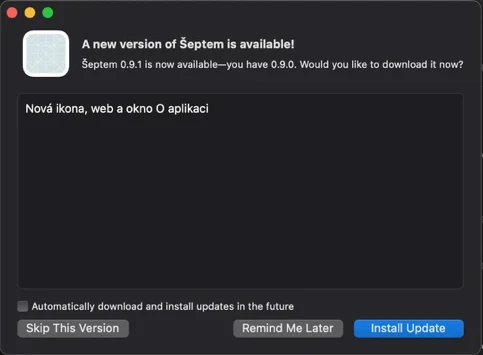
Šeptem came out on 2 November as 0.9.0, and twenty-five minutes later as 0.9.1. The new icon, website and About window missed the first version, so they went straight into the second.
Then came real use. It showed that the settings held things an ordinary user shouldn't have to think about: models, the API address, language. We're tucking them into a collapsed Advanced section with a Restore Defaults button. On top of that comes a first-run guide that ticks off the microphone, Accessibility, the fn key and the API key.
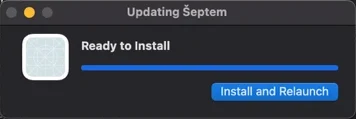
And then the test we'd been waiting for. We downloaded the 0.9.0 ZIP from GitHub, opened it with a right-click and chose Check for Updates. Sparkle offered 0.9.1 with release notes, and after a relaunch the new version was running. No Apple, no app store, just GitHub and our own signature.
Release is the start, not the finish.
- Nuppo 0.9.0
- Šeptem 0.9.0
- Šeptem 0.9.1
- update from 0.9.0 to 0.9.1 through Sparkle
- Šeptem 0.10.0
In closing
Ship your own product and you learn what a client project really costs.
Both apps followed the same approach: an idea born of our own need, a small scope, measurement where possible, release, then fixes driven by real use. None of that is new. What's interesting is that you can see it through without everything that usually makes a release easier: no Apple, no notarisation, no reseller.
We threw away a finished licensing system, a finished waiting list and part of Šeptem's plan. Discarded work costs less than a discarded release, but it still costs. And the business model has to be settled before you build the technology behind it. That lesson goes into every client project.
Modern tools help us move faster. But people still judge what to build, what to cut and when to admit that something hasn't been verified. Clients get advice, not a defence of work already done.
Two apps that prove we see products through.
Two projects. One signature.
Method
What you won't find in this study.
Download or user numbers, revenue, comparisons with competitors, or the source code, which is private. What you can check for yourself: the releases and their dates, the live websites and how the apps behave. The figures from the git history (40 calendar days, 1,045 and 2,726 lines) can't be checked, because the repositories are private. We'd rather say so up front.
Want a product of your own instead of another business card?
Tell us what you need built, or first work out what a system of your own would save you.